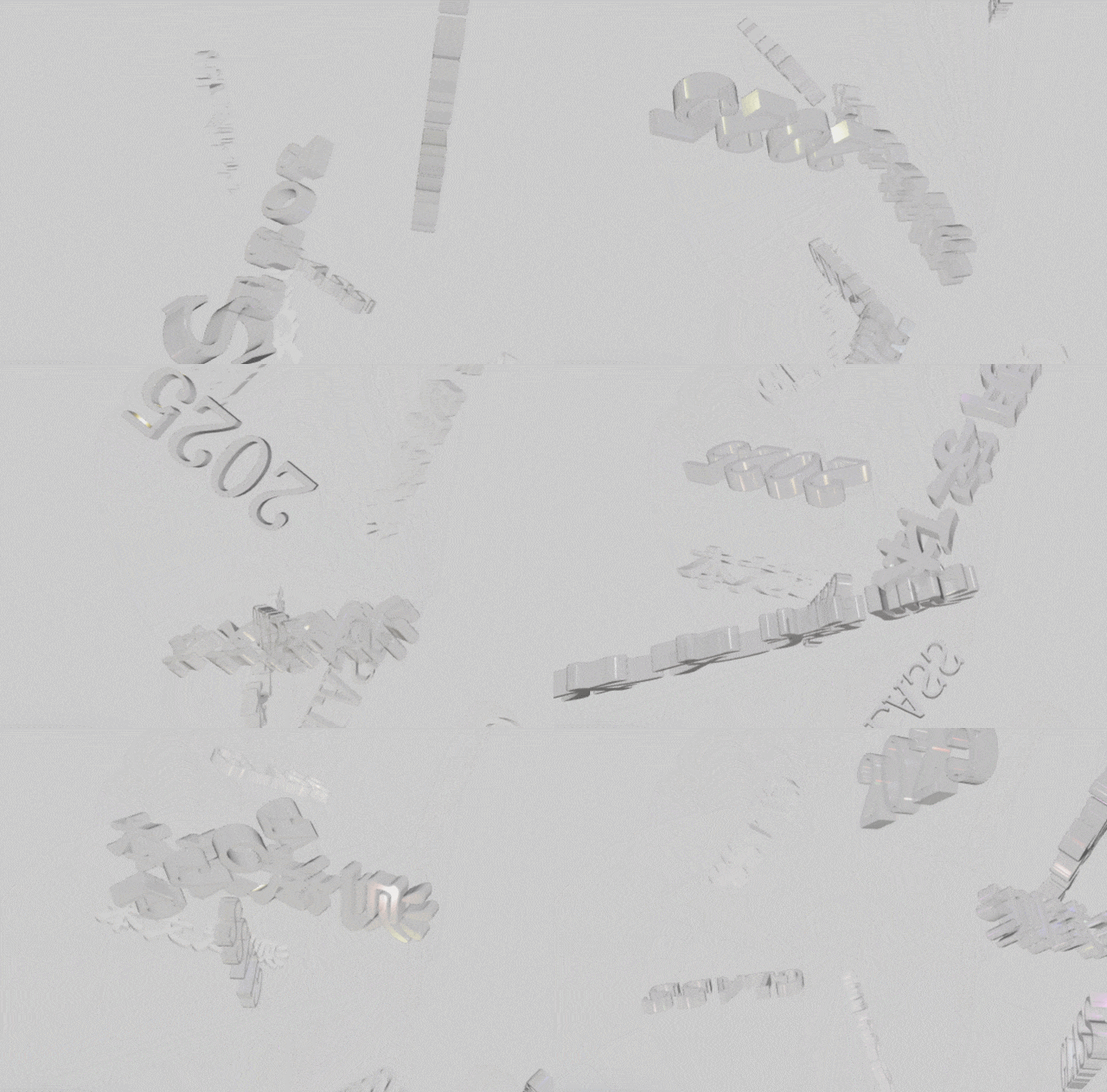
threejs实现3d透明彩色字体
1. 需求简介
我想做一个3D透明彩色字体效果,且可以随鼠标移动而旋转,使用 three.js 来实现。
由于我对 three.js 不太熟悉,不太了解原理,这里只记录一些实现步骤和代码片段,供以后参考。
2. 代码实现
<!DOCTYPE html>
<html lang="zh-CN">
<head>
    <meta charset="UTF-8">
    <meta name="viewport" content="width=device-width, initial-scale=1.0">
    <title>3D玻璃质感动态效果</title>
    <link rel="stylesheet" href="style.css">
</head>
<body>
    <div id="container"></div>
    <div class="info">
        <h1>3D玻璃质感</h1>
    </div>

    <!-- <script src="https://cdn.jsdelivr.net/npm/three@0.132.2/build/three.min.js"></script>
    <script src="https://cdn.jsdelivr.net/npm/three@0.132.2/examples/js/controls/OrbitControls.js"></script>
    <script src="https://cdn.jsdelivr.net/npm/three@0.132.2/examples/js/loaders/GLTFLoader.js"></script>
    <script src="https://cdn.jsdelivr.net/npm/three@0.132.2/examples/js/postprocessing/EffectComposer.js"></script>
    <script src="https://cdn.jsdelivr.net/npm/three@0.132.2/examples/js/postprocessing/RenderPass.js"></script>
    <script src="https://cdn.jsdelivr.net/npm/three@0.132.2/examples/js/postprocessing/UnrealBloomPass.js"></script>
    <script src="https://cdn.jsdelivr.net/npm/three@0.132.2/examples/js/shaders/CopyShader.js"></script>
    <script src="https://cdn.jsdelivr.net/npm/three@0.132.2/examples/js/shaders/LuminosityHighPassShader.js"></script>
    <script src="https://cdn.jsdelivr.net/npm/three@0.132.2/examples/js/postprocessing/ShaderPass.js"></script>
    -->

    <script src="js/three.min.js"></script>
    <script src="js/OrbitControls.js"></script>
    <script src="js/GLTFLoader.js"></script>
    <script src="js/EffectComposer.js"></script>
    <script src="js/RenderPass.js"></script>
    <script src="js/UnrealBloomPass.js"></script>
    <script src="js/CopyShader.js"></script>
    <script src="js/LuminosityHighPassShader.js"></script>
    <script src="js/ShaderPass.js"></script>
    <script src="main.js"></script>
</body>
</html>
* {
    margin: 0;
    padding: 0;
    box-sizing: border-box;
}

body {
    font-family: 'Arial', sans-serif;
    background: linear-gradient(135deg, #1a237e, #0d47a1, #1565c0, #0288d1);
    color: #fff;
    overflow: hidden;
}

#container {
    position: fixed;
    top: 0;
    left: 0;
    width: 100%;
    height: 100%;
    z-index: 1;
}

.info {
    position: absolute;
    bottom: 30px;
    left: 30px;
    z-index: 2;
    color: rgba(255, 255, 255, 0.9);
    text-shadow: 0 0 15px rgba(255, 255, 255, 0.7);
    backdrop-filter: blur(8px);
    padding: 25px;
    border-radius: 20px;
    background: rgba(255, 255, 255, 0.15);
    border: 1px solid rgba(255, 255, 255, 0.3);
    box-shadow: 0 8px 32px rgba(31, 38, 135, 0.2);
}

.info h1 {
    font-size: 2.5rem;
    margin-bottom: 10px;
    font-weight: 300;
    letter-spacing: 1px;
}

.info p {
    font-size: 1.1rem;
    opacity: 0.9;
}
three.js的实现参考了网上的代码,具体是哪个网站由于忘记记录目前找不到了,不过效果还不错。
// 初始化场景、相机和渲染器
let scene, camera, renderer, composer;
let geometry, material, glassMesh;
let clock = new THREE.Clock();
let mouseX = 0, mouseY = 0;
let windowHalfX = window.innerWidth / 2;
let windowHalfY = window.innerHeight / 2;
let glassPrisms = [];
let rainbowLights = [];

// 初始化场景
init();

// 动画循环
animate();

function init() {
    // 创建场景
    scene = new THREE.Scene();
    const textureLoader = new THREE.TextureLoader();
    // scene.background = textureLoader.load('images/image.png');

    scene.background = new THREE.Color(0xcccccc);
    scene.fog = new THREE.Fog(0xFFFFFF, 2, 25);

    // 创建相机
    camera = new THREE.PerspectiveCamera(75, window.innerWidth / window.innerHeight, 0.1, 1000);
    camera.position.z = 8;

    // 创建渲染器
    renderer = new THREE.WebGLRenderer({ antialias: true, alpha: true });
    renderer.setSize(window.innerWidth, window.innerHeight);
    renderer.setPixelRatio(window.devicePixelRatio);
    renderer.shadowMap.enabled = true;
    renderer.shadowMap.type = THREE.PCFSoftShadowMap;
    renderer.toneMapping = THREE.ACESFilmicToneMapping;
    renderer.toneMappingExposure = 1.5;
    document.getElementById('container').appendChild(renderer.domElement);

    // 添加事件监听
    window.addEventListener('resize', onWindowResize);
    document.addEventListener('mousemove', onDocumentMouseMove);

    // 添加光源
    addLights();

    // 添加七彩光源
    addRainbowLights();

    // 创建玻璃棱镜
    createGlassPrisms();

    addBloomEffect();

    // 添加交互控制
    addControls();
}

// 添加光源
function addLights() {
    // 添加环境光
    const ambientLight = new THREE.AmbientLight(0xffffff, 0.8);
    scene.add(ambientLight);

    // 添加点光源
    const pointLight1 = new THREE.PointLight(0x4285F4, 2, 20);
    pointLight1.position.set(5, 5, 5);
    scene.add(pointLight1);

    const pointLight2 = new THREE.PointLight(0xEA4335, 2, 20);
    pointLight2.position.set(-5, -5, 5);
    scene.add(pointLight2);

    const pointLight3 = new THREE.PointLight(0xFBBC05, 2, 20);
    pointLight3.position.set(-5, 5, -5);
    scene.add(pointLight3);

    const pointLight4 = new THREE.PointLight(0x34A853, 2, 20);
    pointLight4.position.set(5, -5, -5);
    scene.add(pointLight4);

    // 添加太阳光源 - 模拟强烈的白光
    const sunLight = new THREE.DirectionalLight(0xffffff, 3);
    sunLight.position.set(15, 15, 15);
    scene.add(sunLight);
}

// 添加七彩光源函数
function addRainbowLights() {
    // 彩虹颜色数组
    const rainbowColors = [
        0xFF0000, // 红
        0xFF7F00, // 橙
        0xFFFF00, // 黄
        0x00FF00, // 绿
        0x0000FF, // 蓝
        0x4B0082, // 靛
        0x9400D3  // 紫
    ];

    // 创建七彩光源
    for (let i = 0; i < rainbowColors.length; i++) {
        const angle = (i / rainbowColors.length) * Math.PI * 2;
        const radius = 12;

        // 创建彩色聚光灯
        const spotLight = new THREE.SpotLight(
            rainbowColors[i],
            5,           // 强度
            30,          // 距离
            Math.PI / 8, // 角度
            0.5,         // 半影
            1.5          // 衰减
        );

        // 设置位置,围绕一个圆形分布
        spotLight.position.set(
            Math.cos(angle) * radius,
            Math.sin(angle) * radius,
            5
        );

        // 设置光照方向朝向中心
        spotLight.target.position.set(0, 0, 0);
        scene.add(spotLight.target);

        // 启用阴影
        spotLight.castShadow = true;
        spotLight.shadow.mapSize.width = 1024;
        spotLight.shadow.mapSize.height = 1024;

        // 添加到场景和数组
        scene.add(spotLight);
        rainbowLights.push({
            light: spotLight,
            angle: angle,
            radius: radius,
            speed: 0.005 + Math.random() * 0.01 // 不同的旋转速度
        });
    }
}

// function createGlassPrisms() {
//     // 创建多个不同形状的玻璃棱镜
//     const shapes = [
//         new THREE.IcosahedronGeometry(1, 0), // 二十面体
//         new THREE.OctahedronGeometry(1, 0),  // 八面体
//         new THREE.TetrahedronGeometry(1, 0), // 四面体
//         new THREE.DodecahedronGeometry(1, 0), // 十二面体
//         new THREE.TorusGeometry(0.7, 0.3, 16, 32), // 环状体
//         new THREE.ConeGeometry(0.7, 1.5, 8) // 圆锥体
//     ];

//     // 创建玻璃材质
//     const glassMaterial = new THREE.MeshPhysicalMaterial({
//         color: 0xffffff,
//         metalness: 0.1,
//         roughness: 0,
//         transmission: 0.99, // 透明度
//         thickness: 0.2,     // 厚度
//         envMapIntensity: 2.0, // 环境贴图强度
//         clearcoat: 1.5,     // 清漆层
//         clearcoatRoughness: 0.05, // 清漆层粗糙度
//         ior: 2.33, // 折射率,接近钻石
//         transparent: true,  // 启用透明
//         opacity: 0.6,       // 不透明度
//         specularIntensity: 1.0, // 镜面反射强度
//         specularColor: 0xffffff // 镜面反射颜色
//     });

//     // 创建环境贴图
//     const cubeRenderTarget = new THREE.WebGLCubeRenderTarget(512);
//     cubeRenderTarget.texture.type = THREE.HalfFloatType;
//     const cubeCamera = new THREE.CubeCamera(0.1, 100, cubeRenderTarget);
//     scene.add(cubeCamera);
//     glassMaterial.envMap = cubeRenderTarget.texture;

//     // 创建多个棱镜并随机放置
//     for (let i = 0; i < 20; i++) {
//         const randomShape = shapes[Math.floor(Math.random() * shapes.length)];
//         const prism = new THREE.Mesh(randomShape, glassMaterial.clone());

//         // 随机缩放
//         const scale = Math.random() * 0.6 + 0.4;
//         prism.scale.set(scale, scale, scale);

//         // 随机位置
//         prism.position.x = (Math.random() - 0.5) * 12;
//         prism.position.y = (Math.random() - 0.5) * 12;
//         prism.position.z = (Math.random() - 0.5) * 12;

//         // 随机旋转
//         prism.rotation.x = Math.random() * Math.PI;
//         prism.rotation.y = Math.random() * Math.PI;
//         prism.rotation.z = Math.random() * Math.PI;

//         // 启用阴影
//         prism.castShadow = true;
//         prism.receiveShadow = true;

//         // 添加到场景和数组
//         scene.add(prism);
//         glassPrisms.push({
//             mesh: prism,
//             rotationSpeed: {
//                 x: (Math.random() - 0.5) * 0.01,
//                 y: (Math.random() - 0.5) * 0.01,
//                 z: (Math.random() - 0.5) * 0.01
//             },
//             floatSpeed: (Math.random() - 0.5) * 0.005
//         });
//     }

//     // 更新环境贴图
//     updateEnvironmentMap = () => {
//         cubeCamera.update(renderer, scene);
//     };
// }

function createGlassPrisms() {

    const loader = new THREE.FontLoader();
    // loader.load('fonts/helvetiker_regular.typeface.json', function (font) {
    loader.load('fonts/LiSu_Regular.json', function (font) {

        const glassMaterial = new THREE.MeshPhysicalMaterial({
            color: 0xffffff,
            metalness: 0.1,
            roughness: 0,
            transmission: 0.99, // 透明度
            thickness: 0.2,     // 厚度
            envMapIntensity: 2.0, // 环境贴图强度
            clearcoat: 1.5,     // 清漆层
            clearcoatRoughness: 0.05, // 清漆层粗糙度
            ior: 2.33, // 折射率,接近钻石
            transparent: true,  // 启用透明
            opacity: 0.6,       // 不透明度
            specularIntensity: 1.0, // 镜面反射强度
            specularColor: 0xffffff // 镜面反射颜色
        });


        const cubeRenderTarget = new THREE.WebGLCubeRenderTarget(512);
        cubeRenderTarget.texture.type = THREE.HalfFloatType;
        const cubeCamera = new THREE.CubeCamera(0.1, 100, cubeRenderTarget);
        scene.add(cubeCamera);
        glassMaterial.envMap = cubeRenderTarget.texture;

        const texts = ['测试文本', '透明字体', 'GLASS', '2025'];
        for (let i = 0; i < 10; i++) {
            const text = texts[Math.floor(Math.random() * texts.length)];
            const textGeo = new THREE.TextGeometry(text, {
                font: font,
                size: 1.2,
                height: 0.3,
                curveSegments: 12,
                bevelEnabled: true,
                bevelThickness: 0.03,
                bevelSize: 0.02,
                bevelOffset: 0,
                bevelSegments: 5
            });

            const mesh = new THREE.Mesh(textGeo, glassMaterial.clone());
            mesh.position.set(
                (Math.random() - 0.5) * 10,
                (Math.random() - 0.5) * 10,
                (Math.random() - 0.5) * 10
            );

            mesh.rotation.x = Math.random() * Math.PI;
            mesh.rotation.y = Math.random() * Math.PI;
            const s = Math.random() * 0.5 + 0.5;
            mesh.scale.set(s, s, s);

            scene.add(mesh);
            glassPrisms.push({
                mesh,
                rotationSpeed: {
                    x: (Math.random() - 0.5) * 0.01,
                    y: (Math.random() - 0.5) * 0.01,
                    z: (Math.random() - 0.5) * 0.01
                },
                floatSpeed: (Math.random() - 0.5) * 0.005
            });
        }

        updateEnvironmentMap = () => {
            cubeCamera.update(renderer, scene);
        };
    });
}

function addBloomEffect() {
    // 创建后期处理效果
    composer = new THREE.EffectComposer(renderer);
    const renderPass = new THREE.RenderPass(scene, camera);
    composer.addPass(renderPass);

    // 辉光效果
    // const bloomPass = new THREE.UnrealBloomPass(
    //     new THREE.Vector2(window.innerWidth, window.innerHeight),
    //     1.5, // 辉光强度
    //     0.5, // 半径
    //     0.3  // 阈值,越低越多物体发光
    // );
    // composer.addPass(bloomPass);
}

// 添加交互控制
function addControls() {
    const controls = new THREE.OrbitControls(camera, renderer.domElement);
    controls.enableDamping = true;
    controls.dampingFactor = 0.05;
    controls.enableZoom = true;
    controls.autoRotate = true;
    controls.autoRotateSpeed = 0.5;
}

function onWindowResize() {
    windowHalfX = window.innerWidth / 2;
    windowHalfY = window.innerHeight / 2;
    camera.aspect = window.innerWidth / window.innerHeight;
    camera.updateProjectionMatrix();
    renderer.setSize(window.innerWidth, window.innerHeight);
    composer.setSize(window.innerWidth, window.innerHeight);
}

function onDocumentMouseMove(event) {
    mouseX = (event.clientX - windowHalfX) * 0.0005;
    mouseY = (event.clientY - windowHalfY) * 0.0005;
}

function animate() {
    requestAnimationFrame(animate);
    render();
}

function render() {
    const delta = clock.getDelta();
    const time = clock.getElapsedTime();

    // 更新每个棱镜的位置和旋转
    glassPrisms.forEach(prism => {
        // 旋转
        prism.mesh.rotation.x += prism.rotationSpeed.x;
        prism.mesh.rotation.y += prism.rotationSpeed.y;
        prism.mesh.rotation.z += prism.rotationSpeed.z;

        // 浮动效果
        prism.mesh.position.y += Math.sin(time * 0.5) * prism.floatSpeed;

        // 添加一点鼠标互动
        prism.mesh.rotation.y += mouseX * 0.5;
        prism.mesh.rotation.x += mouseY * 0.5;
    });

    // 更新彩虹光源位置
    rainbowLights.forEach(light => {
        // 让光源围绕中心旋转
        light.angle += light.speed;
        light.light.position.x = Math.cos(light.angle) * light.radius;
        light.light.position.y = Math.sin(light.angle) * light.radius;

        // 脉动效果
        light.light.intensity = 5 + Math.sin(time * 2 + light.angle) * 2;
    });

    // 更新环境贴图
    if (typeof updateEnvironmentMap === 'function' && time % 0.5 < 0.05) {
        updateEnvironmentMap();
    }

    // 使用后期处理渲染器
    composer.render();
}
3. 问题汇总
-
原本的代码是创建多种几何体玻璃棱镜效果的,但是我想要文字效果,所以借助 AI 工具换成了文字几何体。但是 three.js 默认不支持中文字体,这里我参考了网上的https://www.cnblogs.com/fanjlqinl/p/17666721.html,将中文字体上传到 https://gero3.github.io/facetype.js/ 生成了 three.js 可用的字体 json 文件,然后加载使用。
-
如果将纯色背景切换为图片背景,会出现白屏的问题但不报错。经过反复测试原因可能是背景图片变得非常亮的原因。AI 提供了一种解决方法:
 if (scene.background) {
     renderer.render(scene, camera);  // 先渲染背景
 }
不过该方法会导致背景一直在闪烁。
后面发现这与代码里的后期处理有关,由于我不太了解原理,目前经过尝试发现只要去掉后期处理代码里的辉光效果部分即可解决该问题。
4. 效果展示